
INBOX
Decisions, not noise
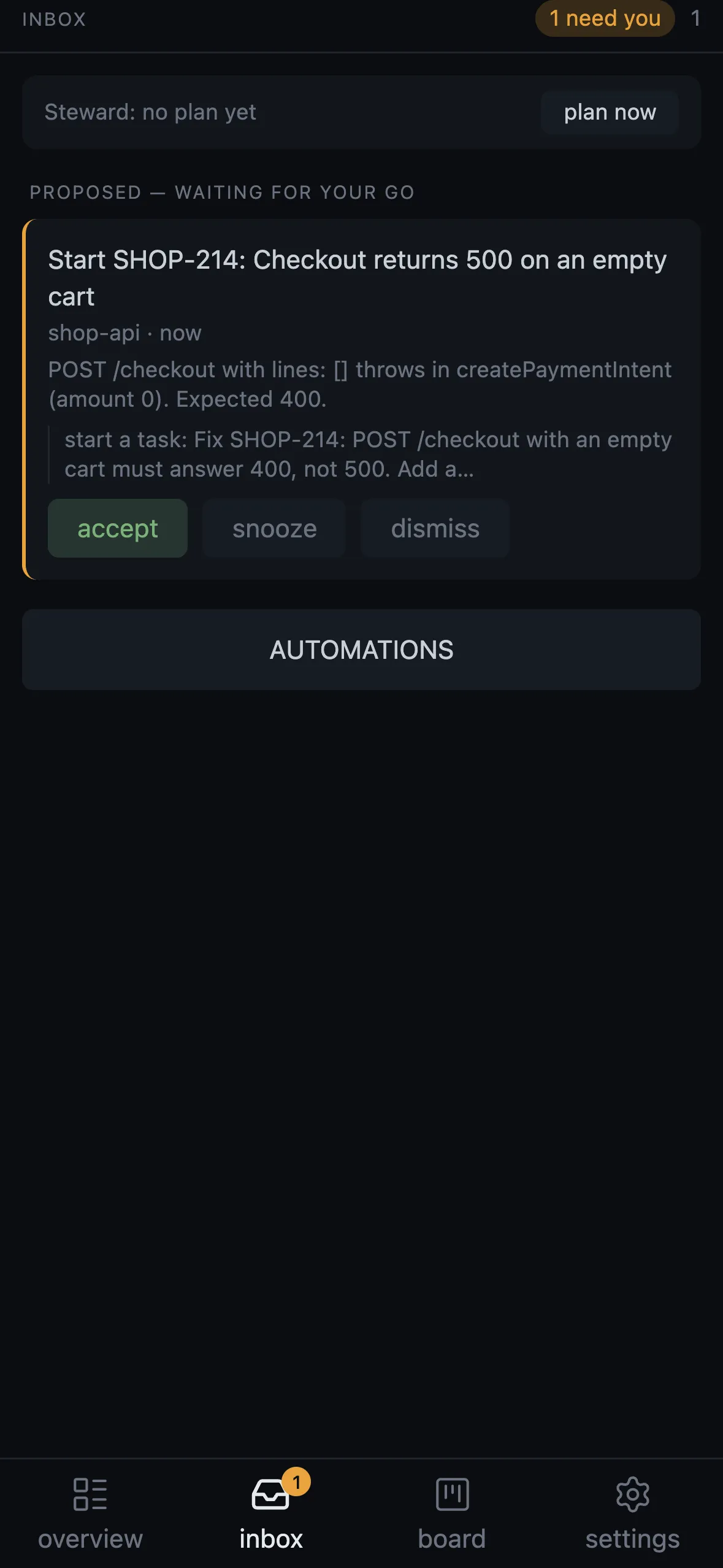
Proposals waiting for a go, a rule an agent wrote, a finished turn with the agent’s last message. Accept, snooze until the next working day, edit the brief, or dismiss with a reason the Steward learns from.
A cockpit for Claude Code agents
Robion is a macOS app around Claude Code. Every task is a real session in its own tab, on its own git worktree if you want. Diffs, reviews, commits and merges happen in the same window; the phone, a terminal or a Linux server pick up where the Mac leaves off.
The agent writes parametric CAD — OpenSCAD, build123d — and Robion renders it live next to the conversation, with sliders the agent builds for you. Drawings, BOMs and KiCad checks follow from the same source. Same cockpit, same rules.
free · signed & notarized · updates itself
One window
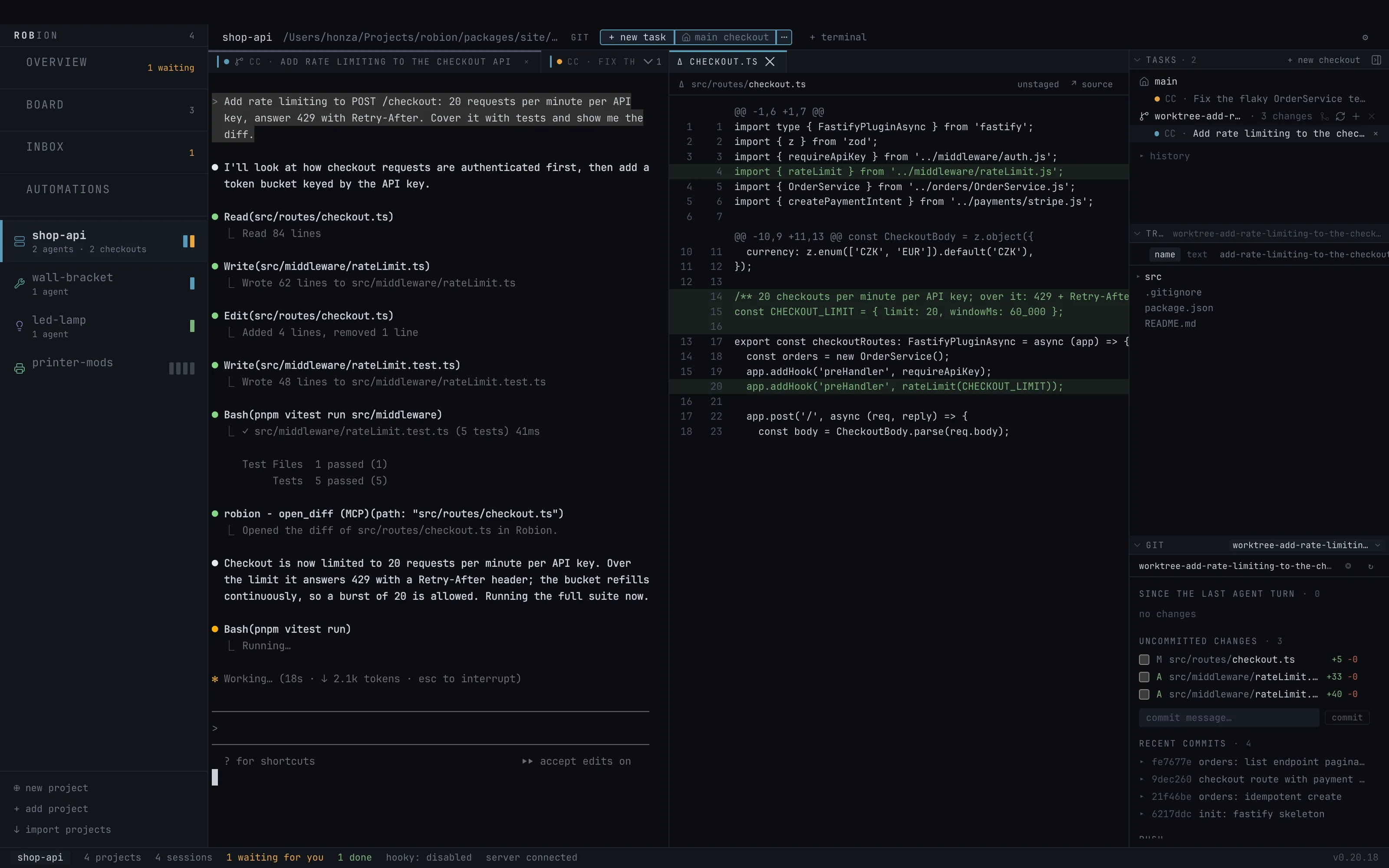
This is the app as it ships, on a small demo repository. Projects on the left, one tab per task with the real Claude Code terminal, the panels the agent opens next to it, and the side panel with the checkouts, the tree and git.
Project rail
One cell per agent, coloured by state: blue works, amber needs you, green finished and unread, red failed.
The task tab
A real Claude Code session in Robion’s own pane host. Quit the app; it keeps running.
Panels the agent opens
open_diff, open_file, open_url: the diff of the file it just changed, a rendered model, a dev-server preview — next to the conversation, not instead of it.
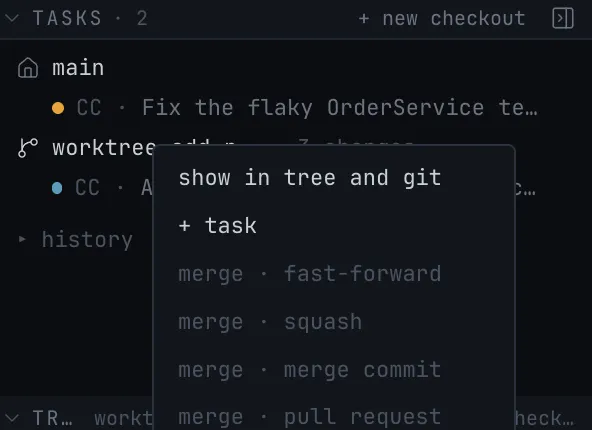
TASKS
Tasks grouped by checkout: the main checkout and each worktree, with its uncommitted changes counted.
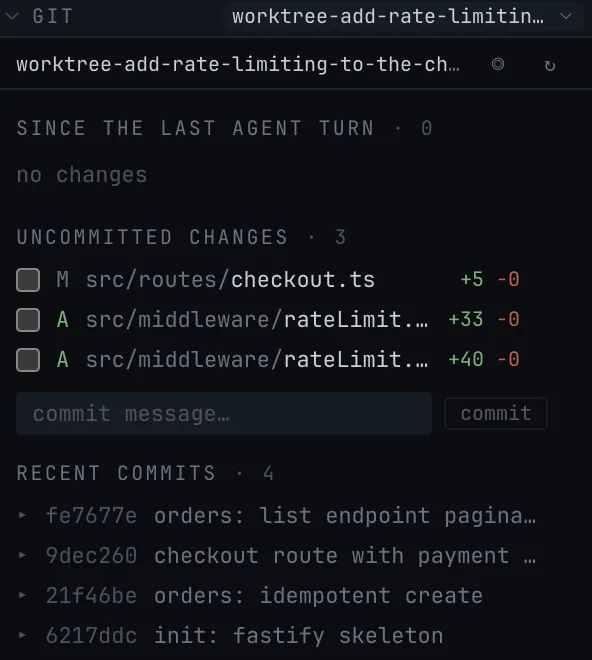
GIT
Changes since the last agent turn, staged with checkboxes, committed and pushed from here.
Status line
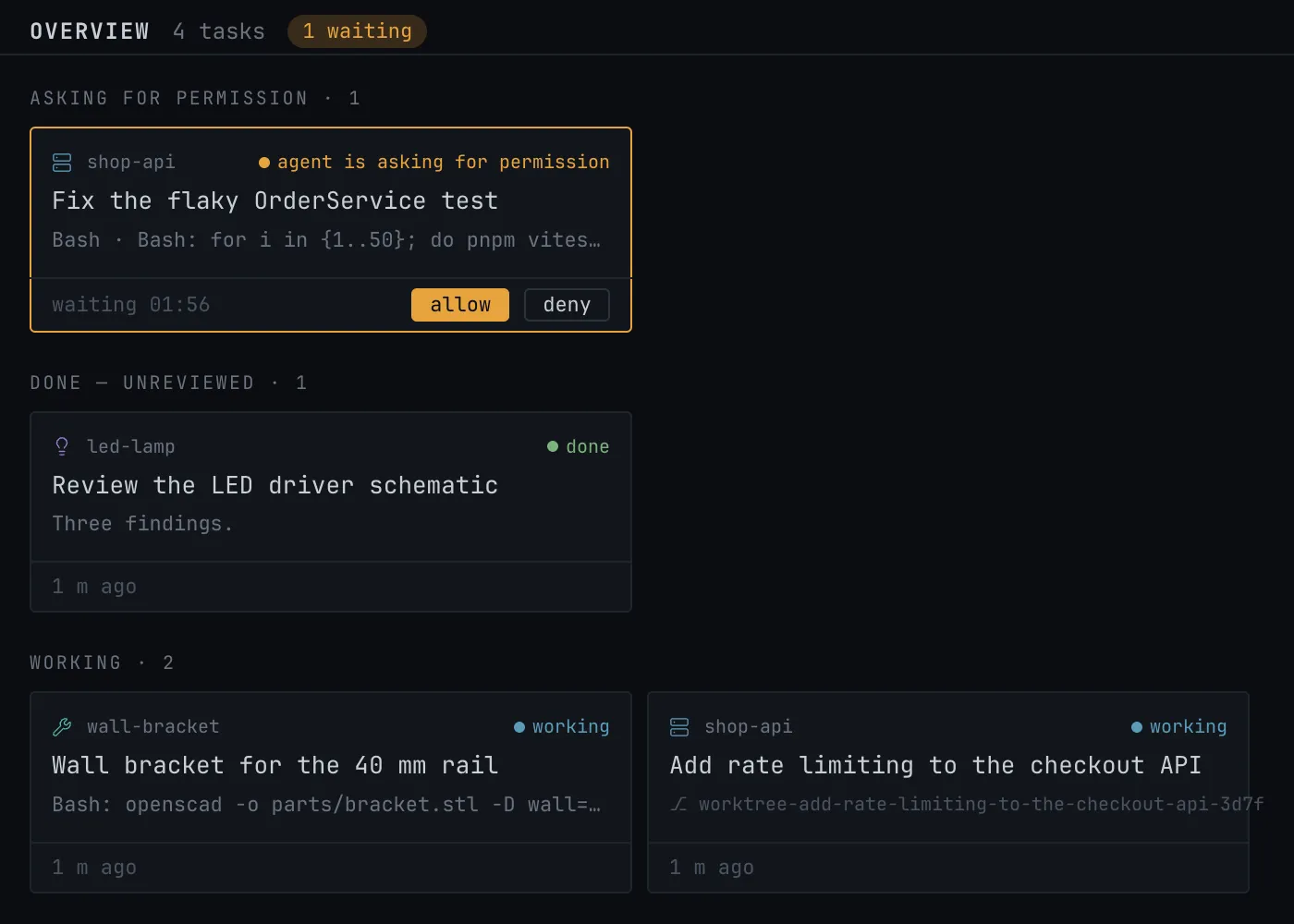
What needs you across every project, in one line.
Amber means a human is needed
A permission, a question, an error, or a finished turn nobody has read — that is the whole list. Everything else stays blue and quiet. Amber looks the same on every surface, so you can leave the desk.
Checkouts
A task starts in the main checkout or in its own worktree (claude --worktree), where the agent cannot reach the files you are editing. When it is done you review the diff, stage what you want, commit and push — or merge the branch with one of four strategies. No agent tool merges, updates or removes a checkout; those are your clicks.
More about checkouts and merging →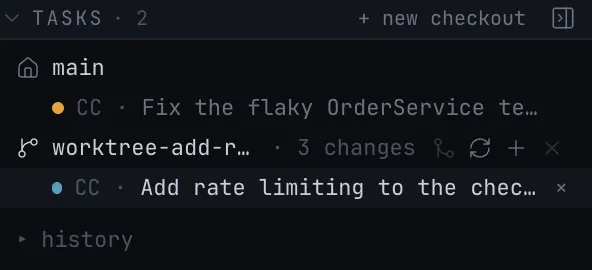
When you are not there
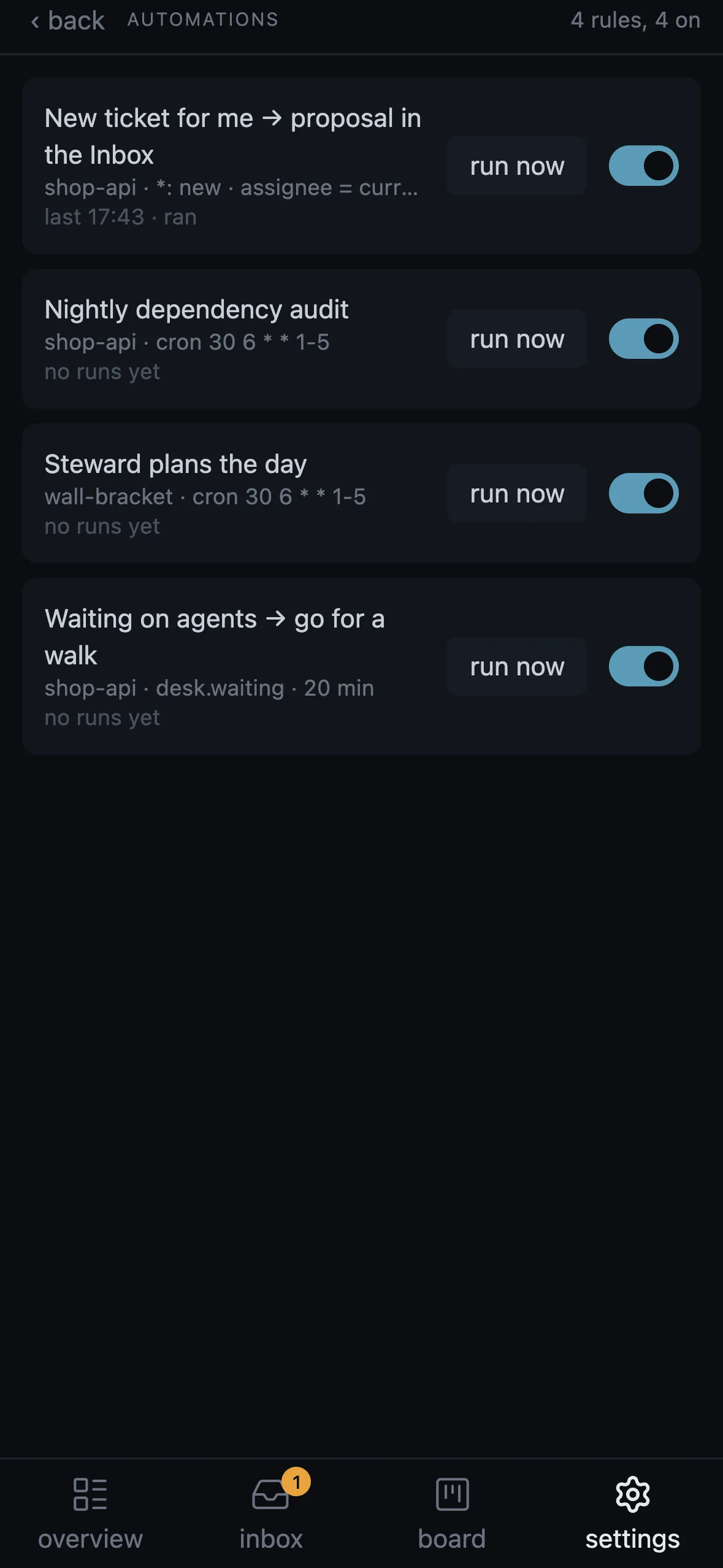
Automations react to the outside world with no model in the path: a ticket assigned to you, a time of day, a desk that has been waiting on agents. They start a task, push to your phone, or leave a proposal in the Inbox. The Steward is a planning session that reads your projects, tickets and board and proposes the day.
More about automations, the Inbox and the Steward →INBOX
Proposals waiting for a go, a rule an agent wrote, a finished turn with the agent’s last message. Accept, snooze until the next working day, edit the brief, or dismiss with a reason the Steward learns from.
AUTOMATIONS
issue.created and issue.updated from Jira, GitLab or GitHub; cron; the desk waiting on agents, or you sitting too long. Actions: start a task, push, send text to an agent, press a run button, propose in the Inbox, ask the Steward. A rule an agent writes stays off until you switch it on.
STEWARD
A headless Claude Code run with a briefing the server wrote: open tasks, tickets, yesterday’s outcomes, your board. It proposes a handful of well-briefed tasks; at level 2 it starts the safe ones itself. No shell, no git, no other MCP servers.
BOARD
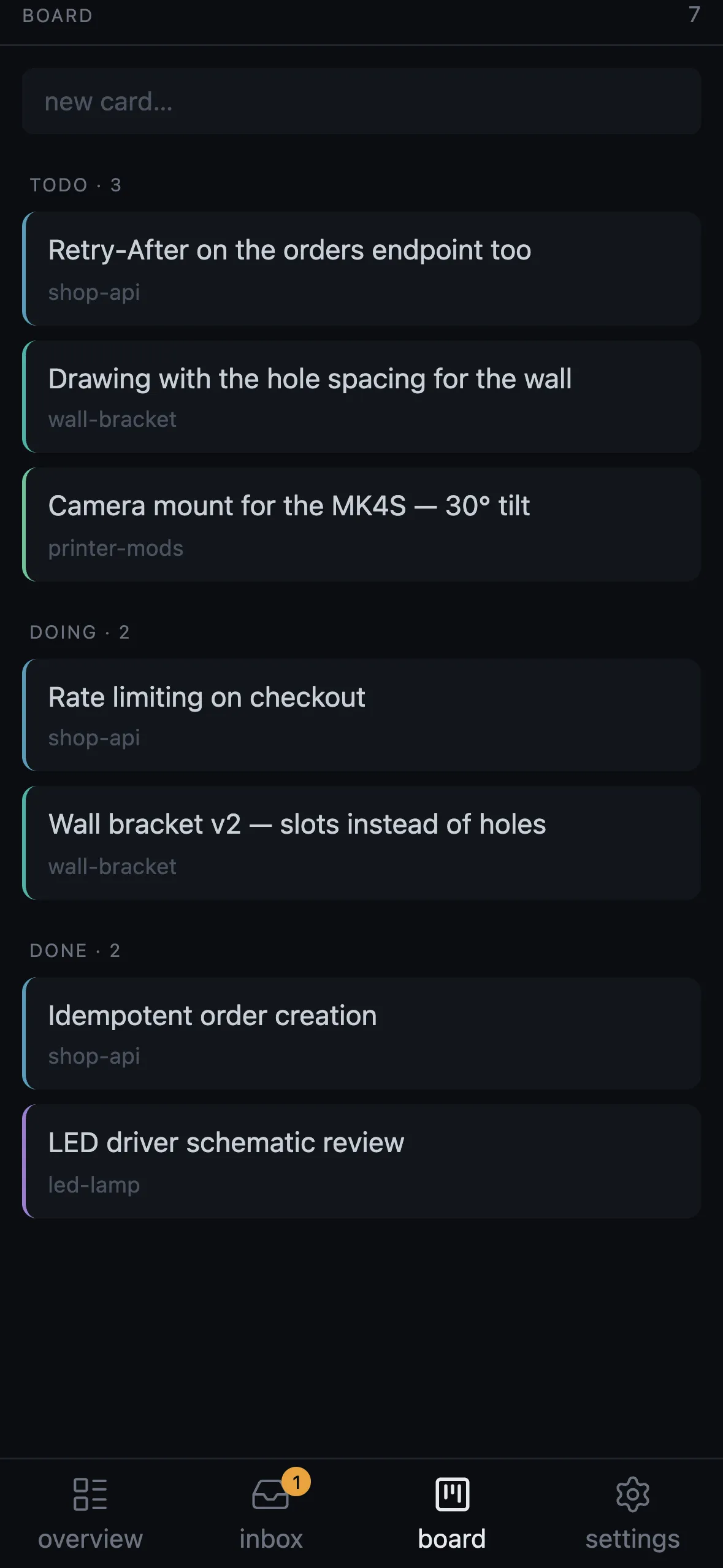
todo, doing, done. Agents add cards (“remember to…”); a card starts a task and follows it to doing. The order in a column is the priority.
The agent builds the knobs
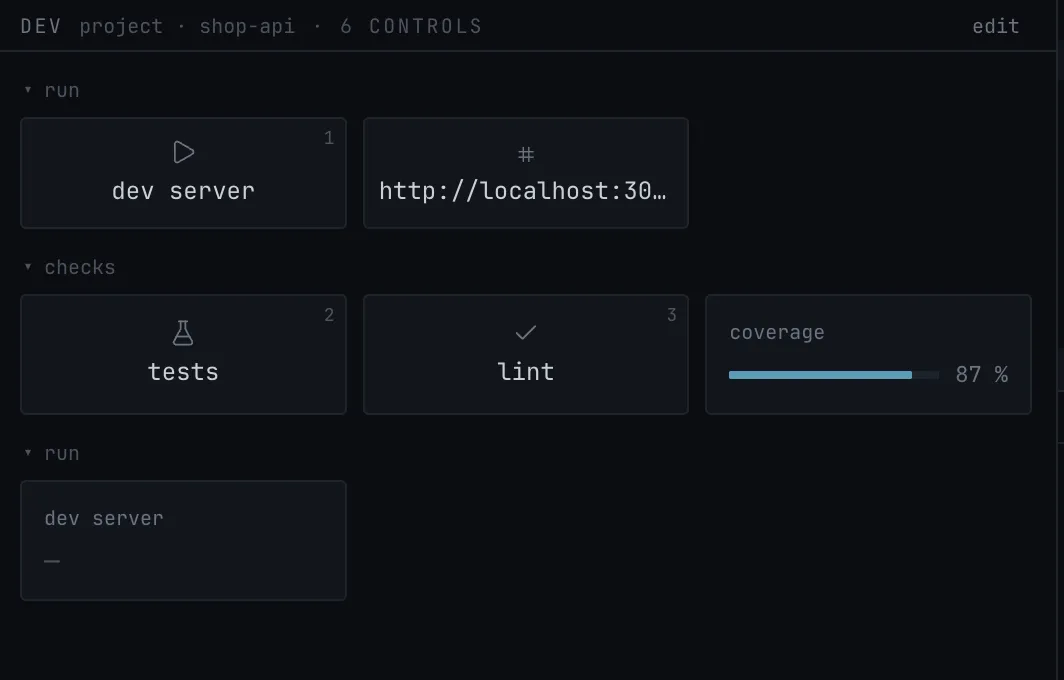
Through set_controls an agent adds run buttons with hotkeys, sliders, toggles, selects, status lights, progress bars, checklists, tables and image tiles to a panel of its own, with a file or a URL as the panel’s viewport. Up to 12 named panels per project, 64 widgets each. The stream deck mirrors the run buttons; the phone shows the whole panel.
Away from the Mac
Robion’s server is a small process on loopback. The Mac app, the phone, a terminal and a stream deck are all clients of it — and so is a Linux box you run it on.
A web app served by your Mac and exposed only inside your Tailscale tailnet. Chat with the agent, answer its question cards, read the diff, merge the worktree, tap the control panel — and get pushed when something turns amber.
More about the phone →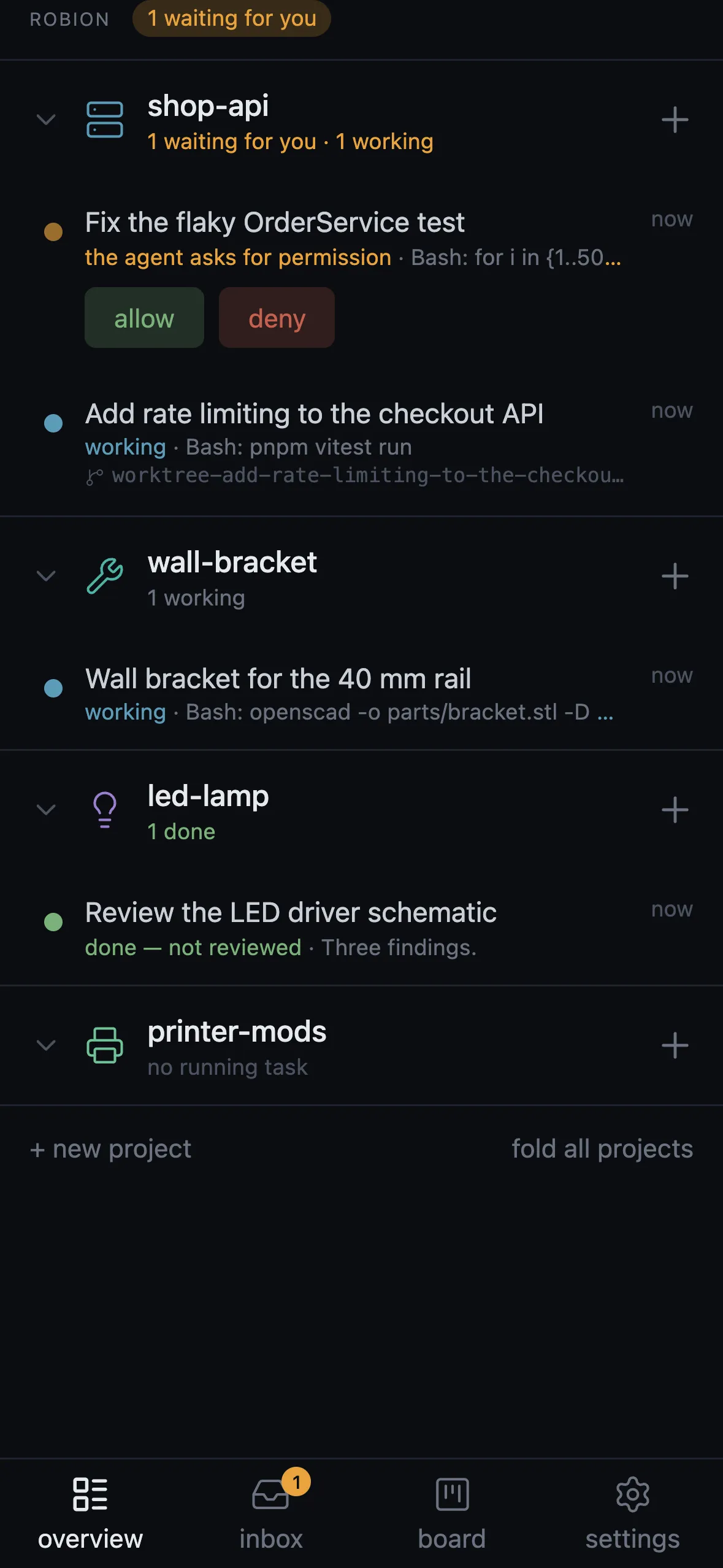
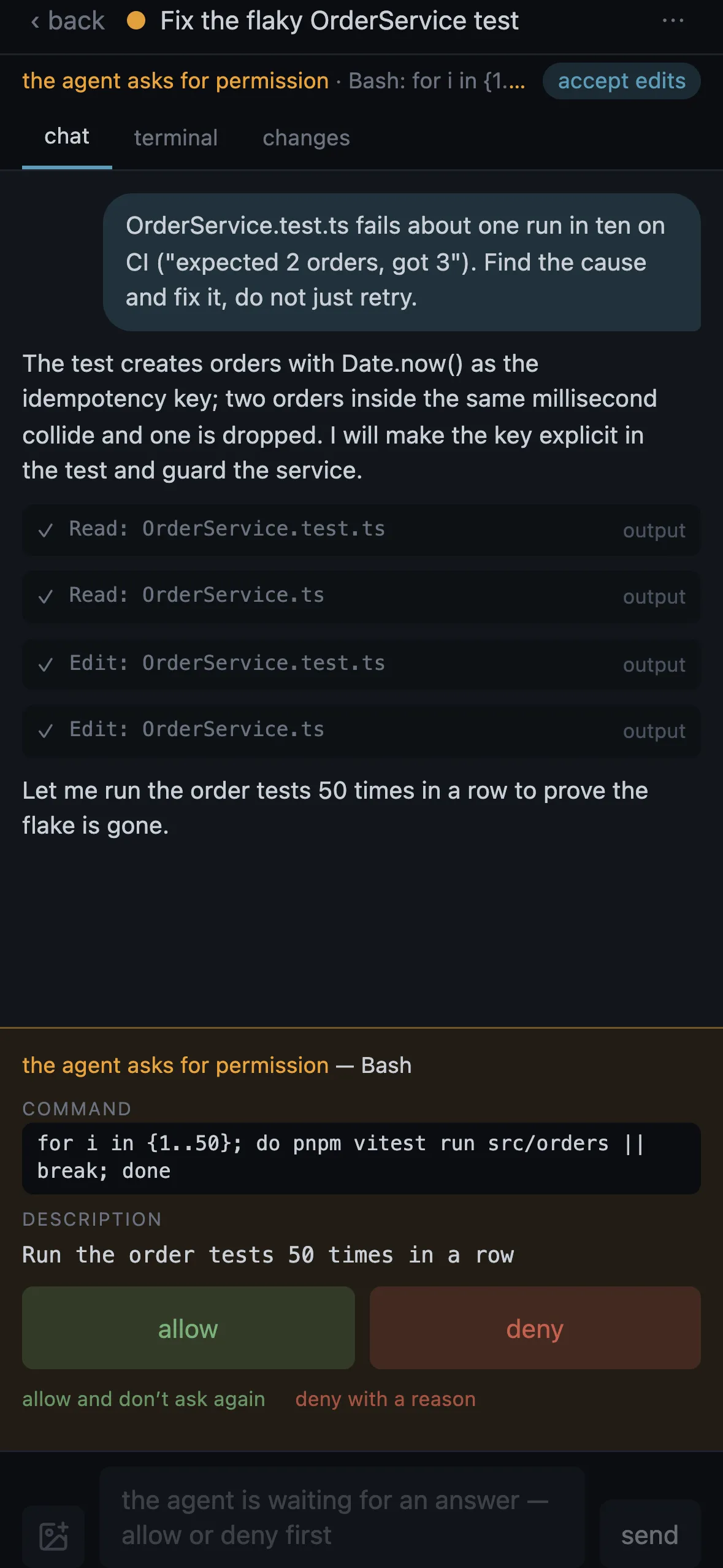
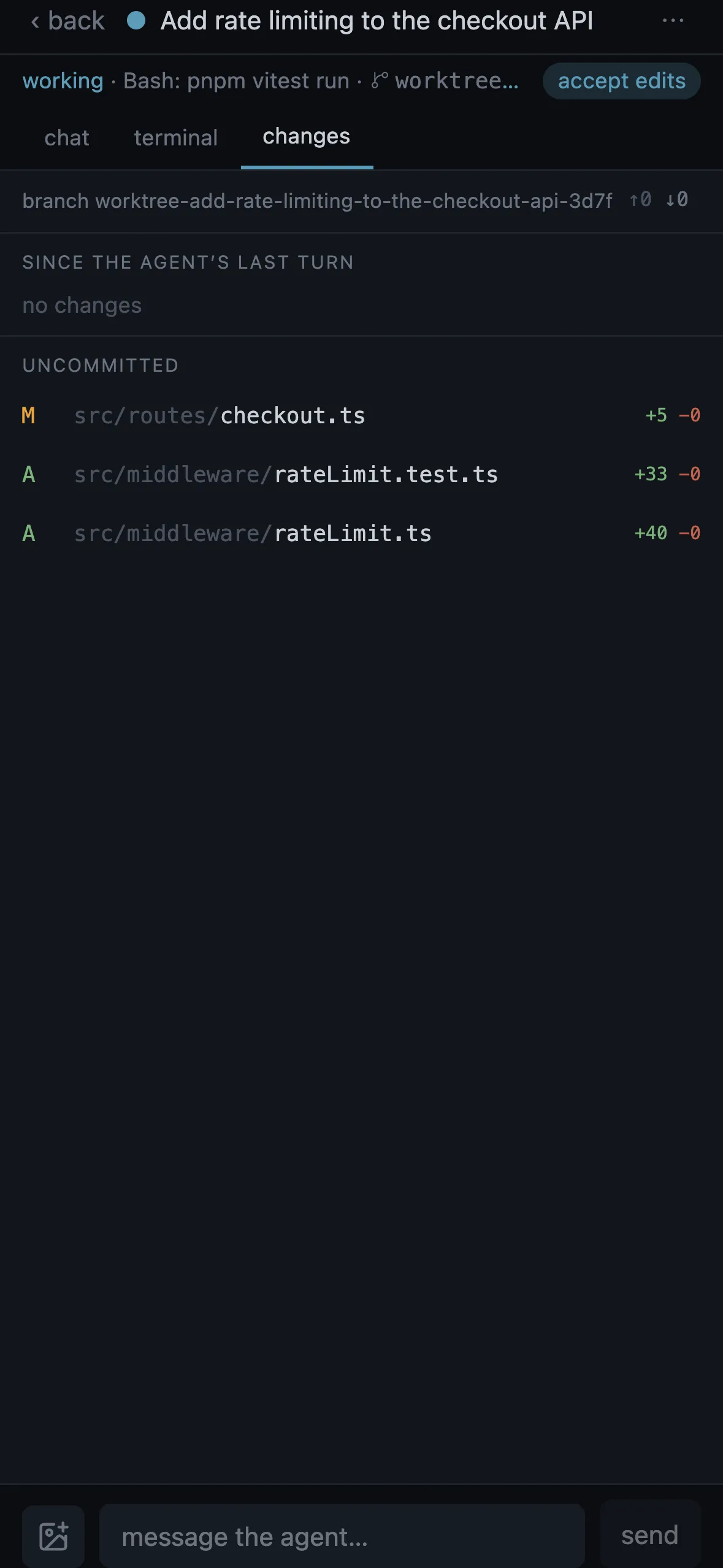
robion-cli tui puts the rail and one live session in any terminal, over ssh too: j and k move, y and n answer, c starts a task, x ends one. robion-cli attach drops your terminal into any running task and Ctrl-] gives it back.
$ robion-cli tui$ robion-cli attach "rate limiting"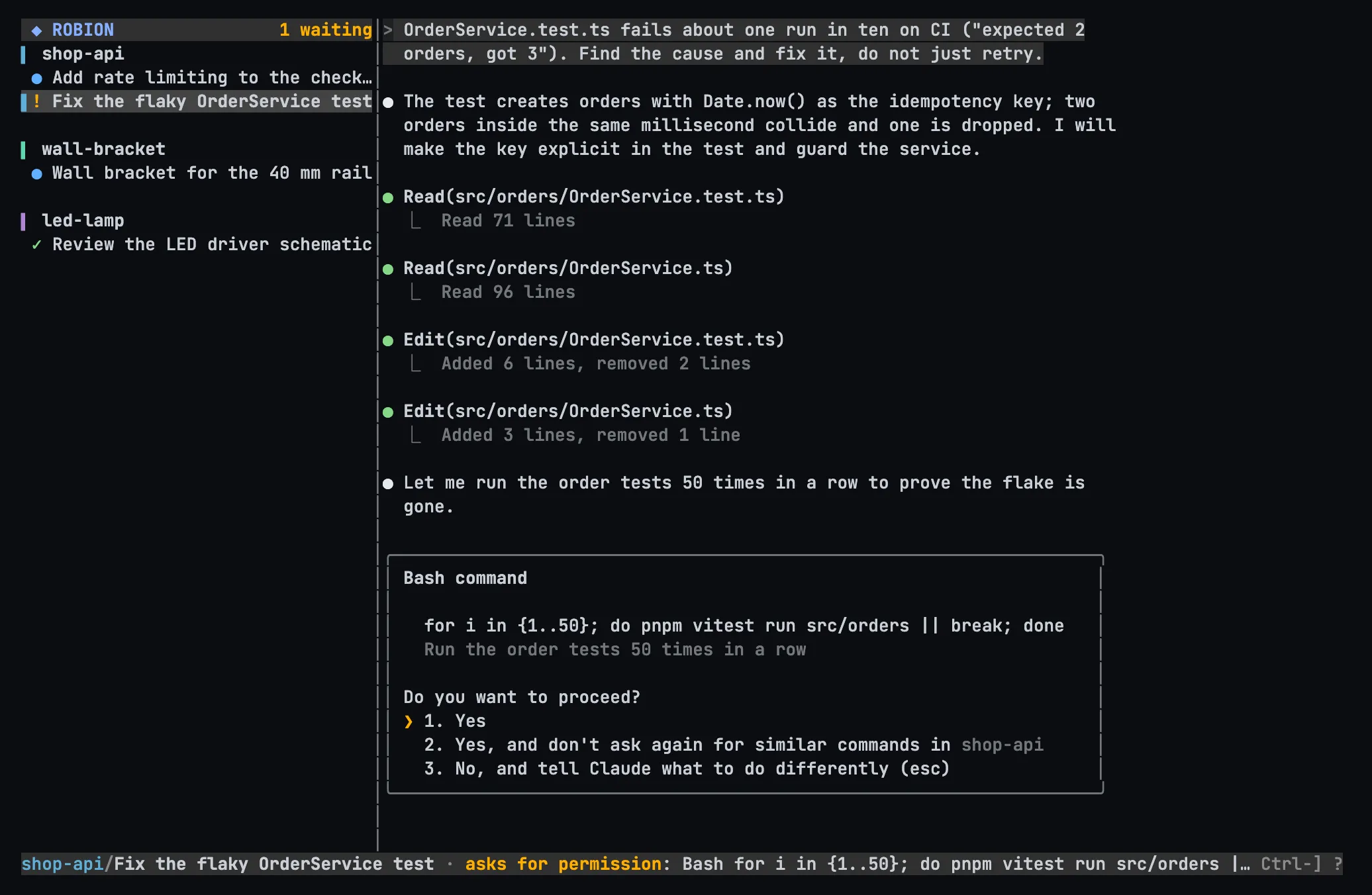
The same server headless on an always-on box — a home server, a Raspberry Pi 5, a VPS. One-line install, pair with a link, and its projects join the rail next to the local ones. Updates switch atomically; running agents survive.
Install guide →$ curl -fsSL https://robion.app/install.sh | bash … robion-server 0.20.15 installed · systemd user service enabled remote: https://raspberrypi.tail65c4b1.ts.net pair: https://raspberrypi.tail65c4b1.ts.net/pair?code=… (10 min)
The workshop
Install the Maker Pack from settings and a project becomes a workshop: the agent turns an idea into a brief, keeps a design record, models in parametric code, renders it live, produces drawings, a BOM and a build sheet — and asks you at the gates, on the desktop or the phone.
More about the workshop →The brief
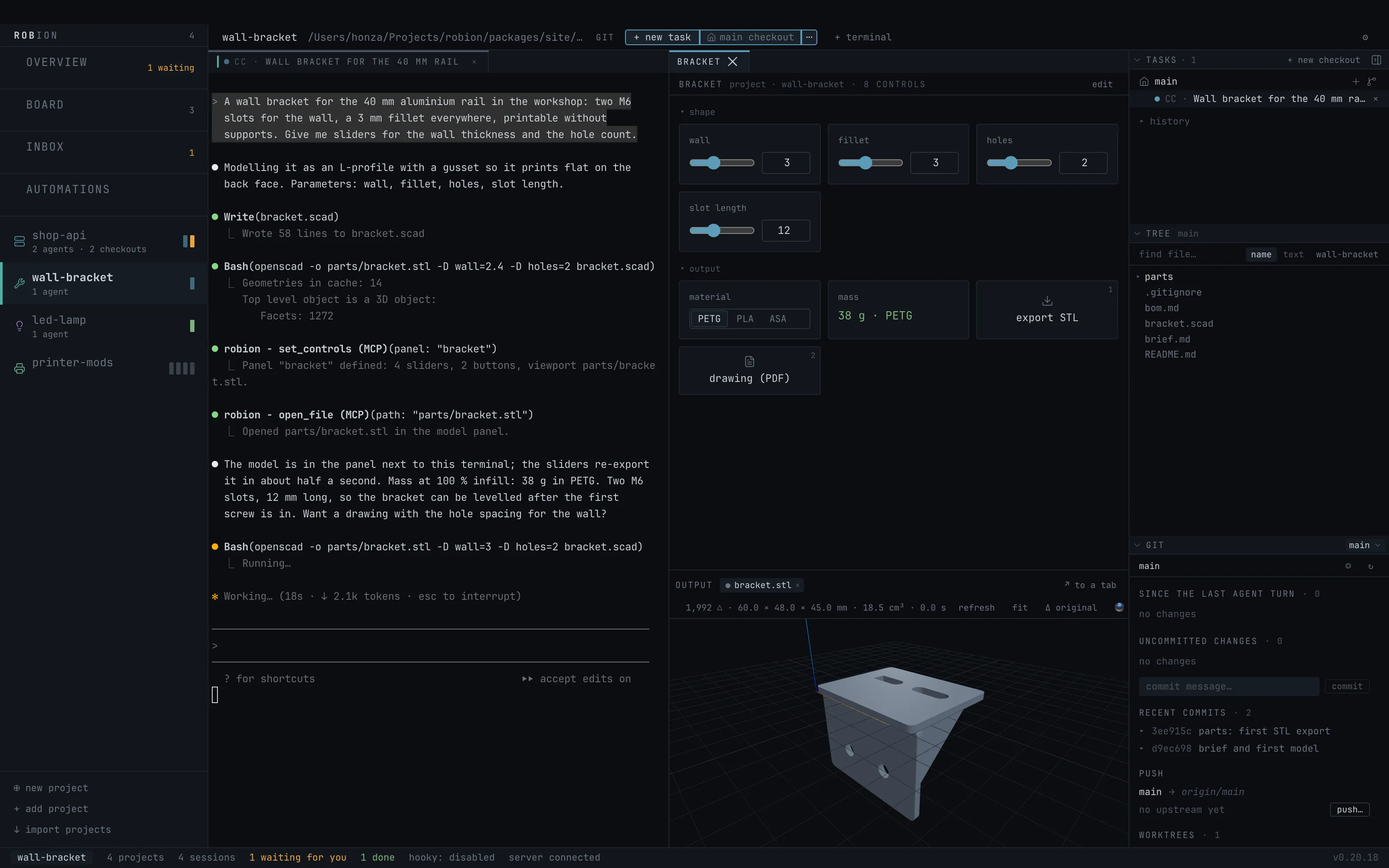
One paragraph: a bracket for the 40 mm rail, two M6 slots, a 3 mm fillet, printable without supports, and sliders for the wall and the hole count.
The agent builds its panel
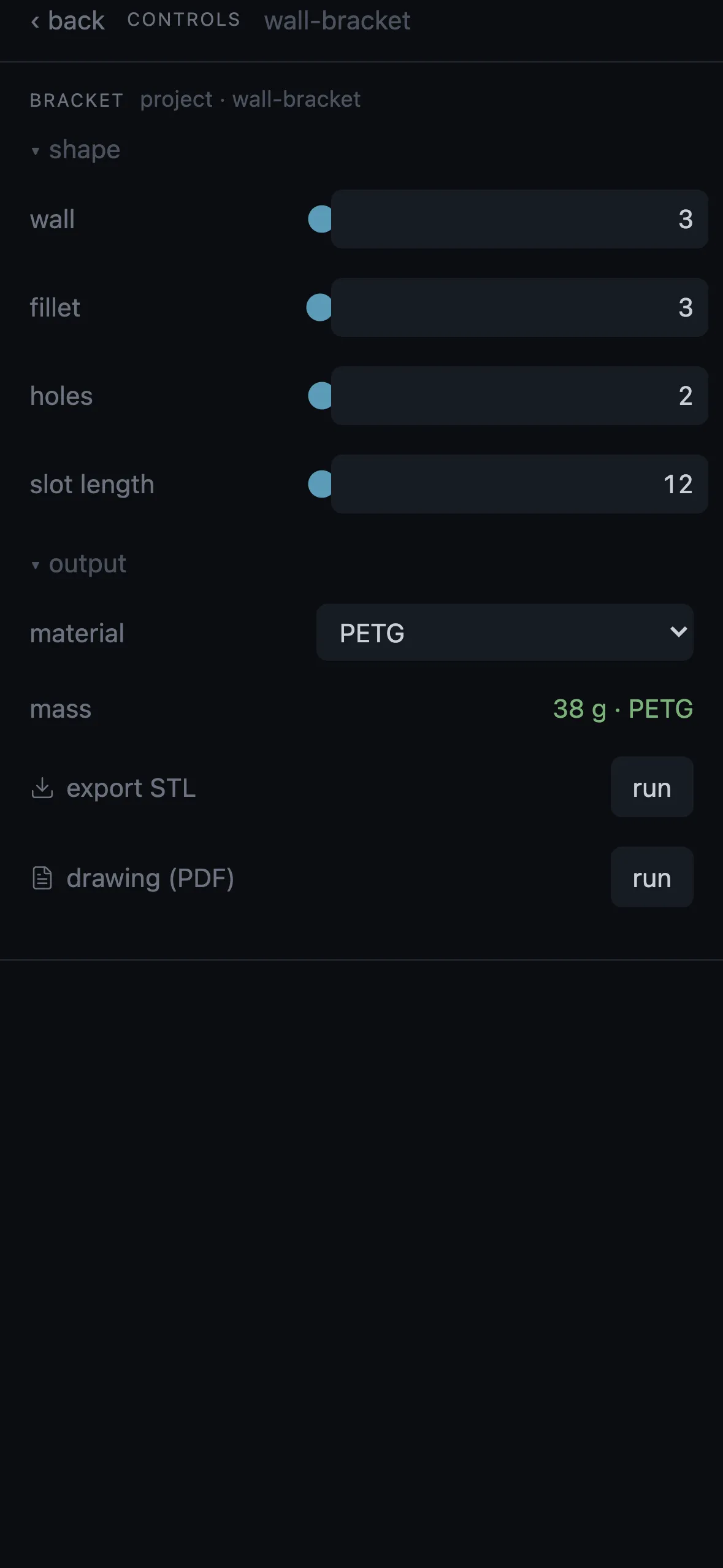
robion – set_controls defines four sliders, two buttons and the exported STL as the panel’s viewport; open_file shows it.
Sliders as parameters
wall, fillet, holes, slot length: each becomes -D key=value for OpenSCAD. Move one and the model re-exports in about half a second.
Buttons with hotkeys
export STL on 1, drawing (PDF) on 2, a material switch, a status with the mass. The stream deck mirrors the two buttons.
The model, live
The STL in the 3D panel: triangles, size in mm, volume; fit, Δ original ghost, a print-bed check, SpaceMouse.
Files in git
brief.md, bracket.scad, bom.md, parts/bracket.stl — every artifact derived from the source, versioned like code.
3D print
from prompt to STL and a print plan for your own slicer
electronics
KiCad boards with DRC/ERC, gerbers, board-in-enclosure fit
wood
furniture-grade drawings, BOMs and finishing plans
metal
welded & bolted frames from steel profiles; sheet-metal flat patterns
CNC & laser
DXF and true-scale PDF at 1:1
software
where Robion started: agents, worktrees, diffs, reviews
Honest limits: Robion never slices and cuts no toolpaths. A printed part ends at STL and a print plan; a CNC part at DXF and a drawing.
Agents that show their work
Every Claude Code that Robion launches gets a small MCP server. Its tools open panels, build controls, tail logs, read other terminals, start sibling tasks and write rules — always inside the task’s folder, never touching settings.
open_fileopen_filesopen_diffopen_urlrequest_reviewset_titleget_activitypreview_screenshotdom_queryrequest_element_pickset_controlsget_controlsremove_controlscontrols_helpset_log_sourcesquery_logsremove_log_sourcesread_terminalsearch_terminalsstart_taskwait_taskboard_listboard_addboard_updateboard_moveboard_removeset_automationtest_automationlist_automationsremove_automationautomation_historyautomations_helpTrust
What you need
Get it
Free download. Signed and notarized DMGs, automatic updates from GitHub releases.