Describe the part. Watch it take shape.
A workshop project is a Robion project where the design panel leads and the agent works in the background. You describe the thing; the agent writes a brief, asks what is missing, models it in parametric code and renders it next to the conversation. The process comes from the Maker Pack, a Claude Code plugin installed from settings.
Six workshops, one process
3D print: from prompt to STL and a print plan for your own slicer. Electronics: KiCad boards with DRC/ERC, gerbers, board-in-enclosure fit. Wood: furniture-grade drawings, BOMs and finishing plans. Metal: welded and bolted frames from steel profiles, sheet-metal flat patterns. CNC & laser: DXF and true-scale PDF. And software, where Robion started.
The home screen shows an example per workshop — a Raspberry Pi case, an ESP32 relay board, a coffee table, a welded gate, a laser-cut grille. A click starts a task on it right away.
The design record and its gates
A design walks through ten stages: idea, brief, concept, model, previews, drawings, materials, build plan, checks, build sheet. The record (design.json) holds the spec, the answers with who decided them — you, a default, or Claude — and the log of changes. Only the pack’s own script writes it; Robion never does.
Each gate is a form in the panel: the question round with recommended answers and “decide for me”, concept variants as cards with one to choose, and an approval screen per produced step with one continue button. Change an earlier answer and the stages it invalidates turn out of date and regenerate. The phone has the same gates in its design tab.
The live customizer
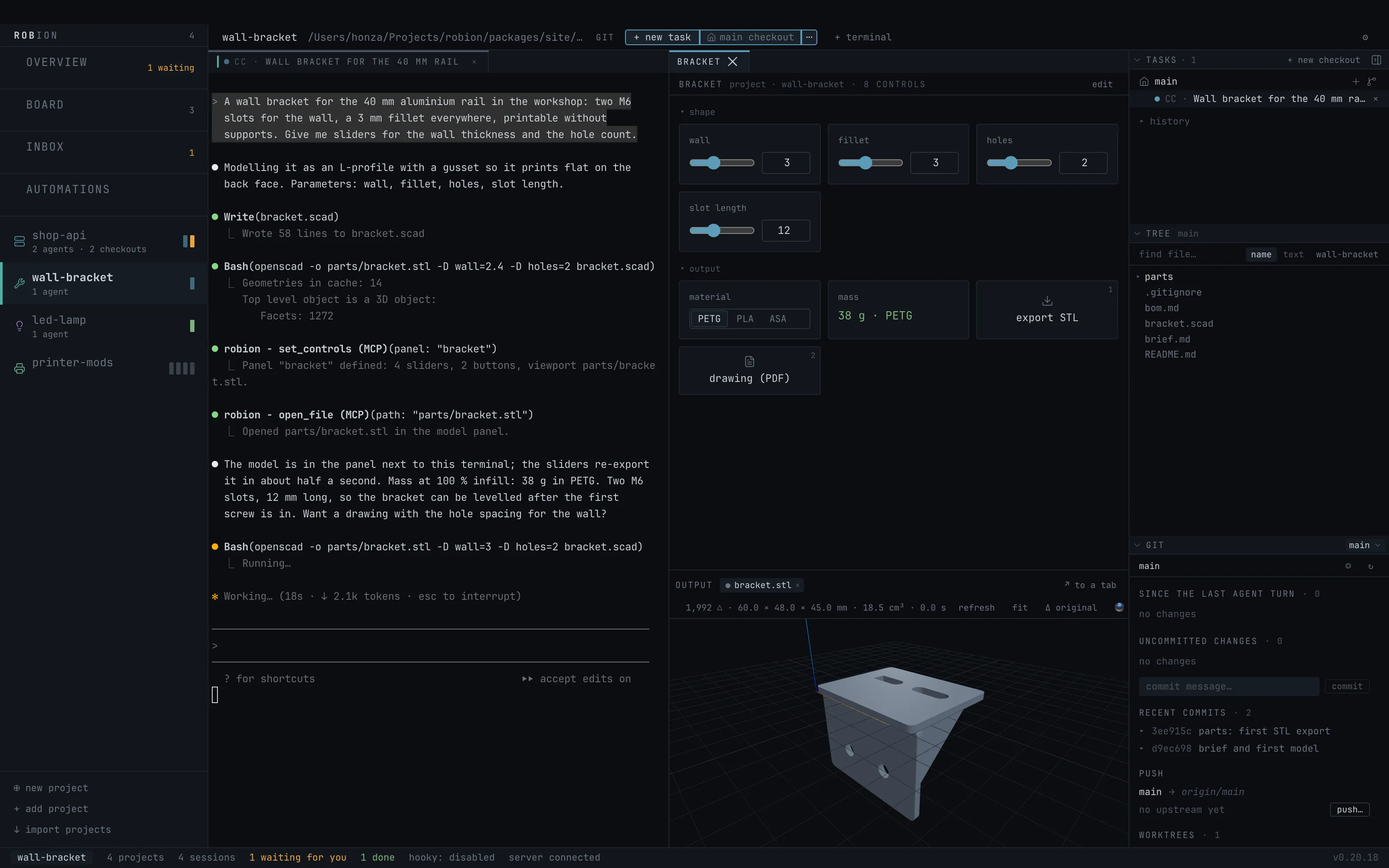
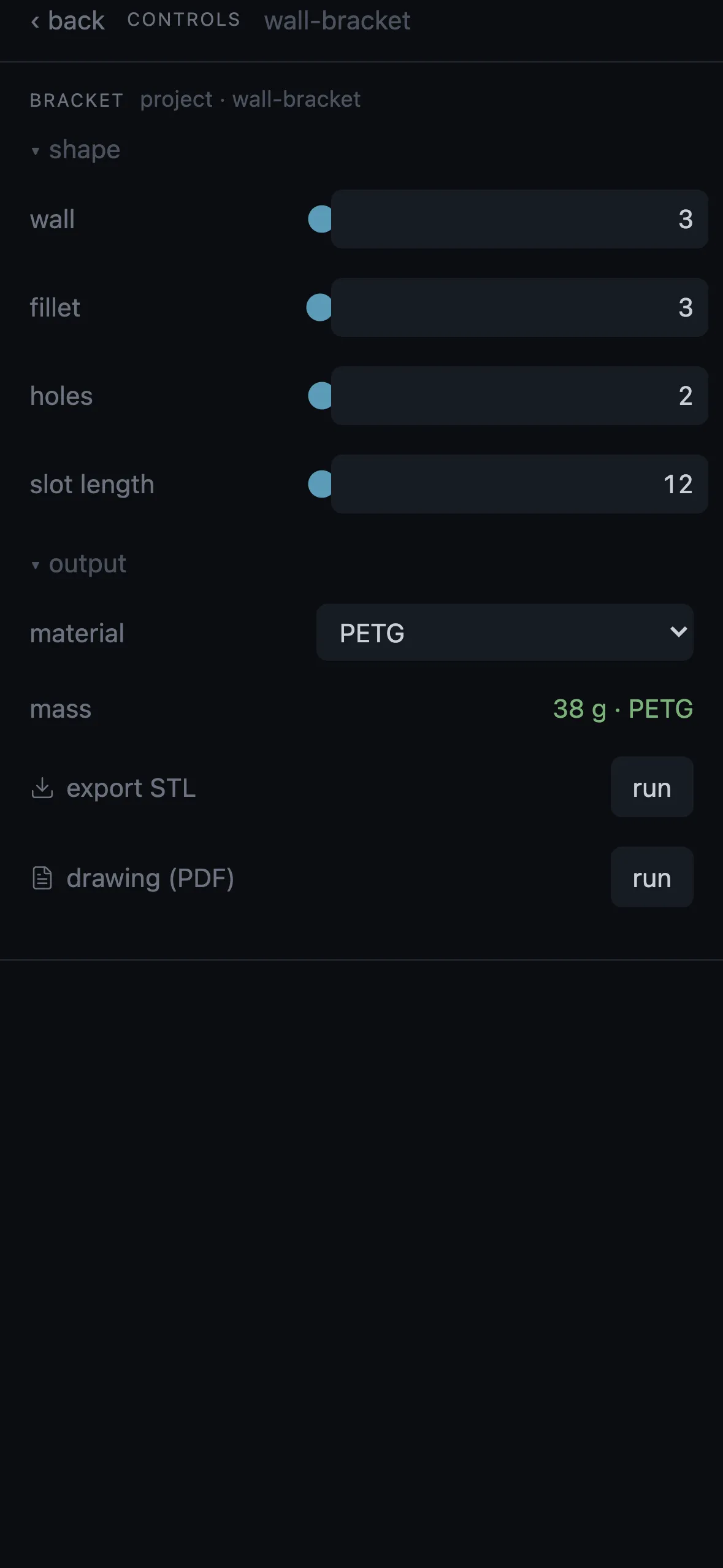
For a parametric model the agent builds a control panel: sliders marked as parameters and the model as the panel’s viewport. Move a slider and the model re-renders — OpenSCAD gets -D key=value, a Python model reads ROBION_PARAMS — in about half a second. Export buttons with hotkeys sit beside it; the stream deck mirrors them.
The 3D panel knows what makers need: a print-bed outline that says whether the model fits, the ghost of the version before the last agent turn, the volume in the readout, SpaceMouse support.
Outputs
The model as parametric code (build123d Python or OpenSCAD) plus STEP and STL; renders; drawings as PDF and DXF; a BOM; a build plan; checks — strength and FEA images, KiCad DRC and ERC; a build sheet. Every artifact is derived from the source and versioned in git like code.
Honest limits: Robion never slices and cuts no toolpaths. A printed part ends at STL and a print plan; a CNC part at DXF and a drawing.
Tools and cost
OpenSCAD, kicad-cli and a Python with build123d are detected automatically or set in ⚙ → Tools, with the print bed size and a render timeout. Without OpenSCAD .scad files do not render; without kicad-cli there is no board check; images, PDF, DXF, SVG and Gerber need no external tool.
The design panel shows what a design costs so far and per step — as a share of your subscription or at API prices. Workshop projects can run the agent with a lower effort, a plain output style and optionally another model, without touching your Claude Code defaults.
No terminal needed
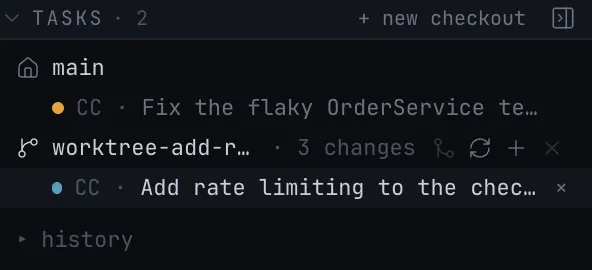
In a workshop project the design panel is the anchor tab and a new task opens no terminal; running agents show as chips with a state dot. A new project — Workshop or Development — can be created on the Mac or from the phone, and the agent’s questions, permissions and photos work on both.
Questions
- Do I need to know CAD?
- No. You describe the thing and tune sliders; the agent writes the parametric model. Knowing CAD helps, but the point is that it is optional.
- Which CAD and formats?
- OpenSCAD and build123d (Python) for the model; STEP, STL, 3MF and GLB out; KiCad with DRC/ERC and Gerber for boards; DXF and true-scale PDF for cutting.
- Does Robion print or cut?
- No. A printed part ends at STL and a print plan for your own slicer; a CNC or laser part at DXF and a drawing. Machines start on a human click, never on their own.
- What is the Maker Pack?
- A Claude Code plugin with the skills for physical products — parametric CAD, drawings, BOM, checks. Install and update it in ⚙ → Agents → Maker Pack; agents pick it up in their next session.
- Can I use it from the phone?
- The design tab has the same gates and questions, photos go in as reference, and permissions are answered there. The 3D view and the customizer’s live render stay on the Mac; the phone shows the sliders and buttons.
In the manual
- Workshop — Maker projects: the Maker Pack, the six workshops, the design panel and its gates, renders, drawings, BOM, the live customizer.
- Panels — Every panel: files and the editor, diff, GIT, web preview and the element picker, 3D model and customizer, media, LOG, controls, activity, statistics, Jira, MCP.
- Settings — Global and per-project settings: Jira, GitLab and GitHub, servers and remote access, hooks, packs, privacy and telemetry, updates, where data lives on disk.
Try it on your own projects.
free · signed & notarized · updates itself