Leave the desk. The agents call you when it matters.
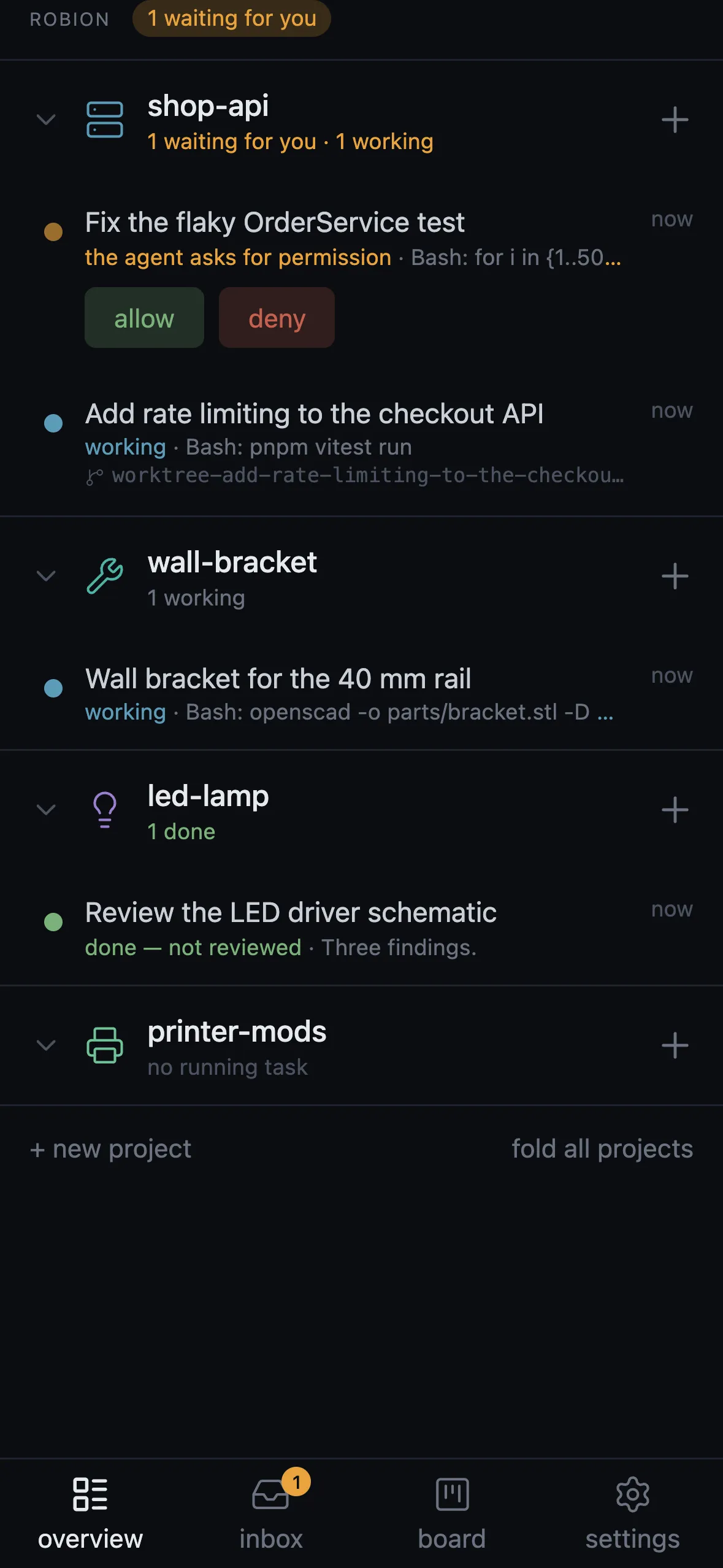
The phone client is a small web app the Robion server serves itself, reached only inside your Tailscale network. No account, no cloud, no relay: your Mac or your Linux server talks to your phone directly. It is not a terminal — it is the place where you decide.
A push that carries the decision
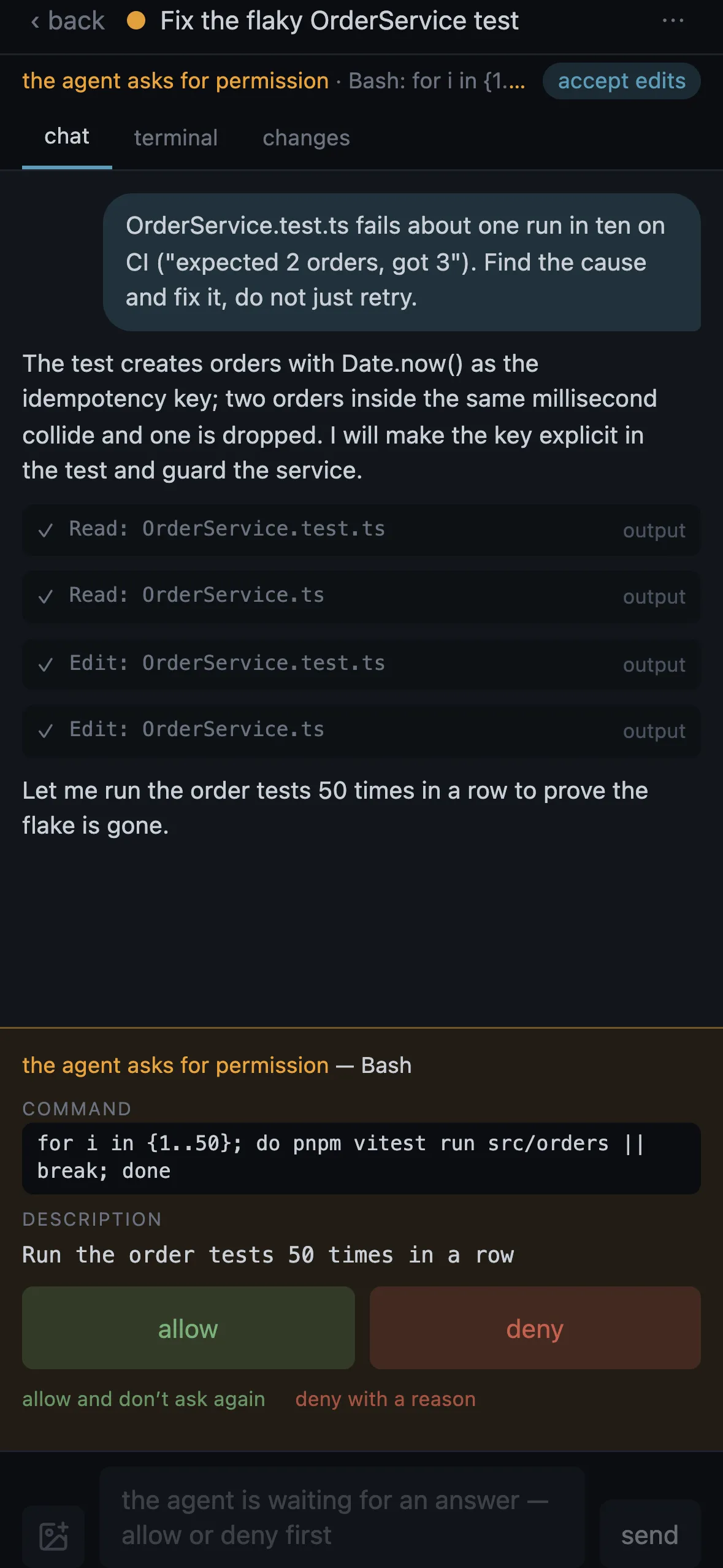
Web Push goes straight from the server to the installed app, end-to-end encrypted. A push arrives when an agent starts waiting for you — a permission, a question — or finishes a turn nobody has seen. A permission push carries Allow and Deny buttons, so the answer leaves the lock screen.
So the phone has time to react, the Mac holds a permission request for it (up to 55 seconds) and the answer goes straight to Claude Code’s hook. No push while a focused client already shows that task, and the same news repeats at most once a minute.
Permissions, questions, plans
A permission shows the whole request: the command, or the file and the replace/with text of an edit. The buttons are allow, allow and don’t ask again, deny, and deny with a reason the agent gets. A question from the agent (AskUserQuestion) is a sheet of cards; a plan shows whole with the terminal’s real choices: approve, approve with auto-accepted edits, keep planning.
The permission mode chip switches the session between manual, accept edits, plan mode and auto — the same modes Claude Code has in the terminal.
Chat, photos, terminal
The chat is the conversation from the Claude Code transcript: the agent’s replies as markdown, tool calls expandable, edits as a red/green diff. A message you type reaches the running session as one paste; a draft survives the app being killed. Attach a photo from the library, the camera or the clipboard; on Android, share a screenshot straight to Robion.
The terminal tab shows the text of the screen with a key bar — Esc, Tab, arrows, Enter, Ctrl-C, digits — for the dialogs Claude Code draws itself, such as the folder trust check or a login. It is reading, not a shell.
Changes and merge
The changes tab lists the files since the agent’s last turn or all uncommitted ones, each opening a diff. A worktree task has Merge into main: squash, fast-forward, merge commit or pull request, with the blockers named first — uncommitted changes, an agent still working, files also changed in main.
Inbox, board, automations, controls
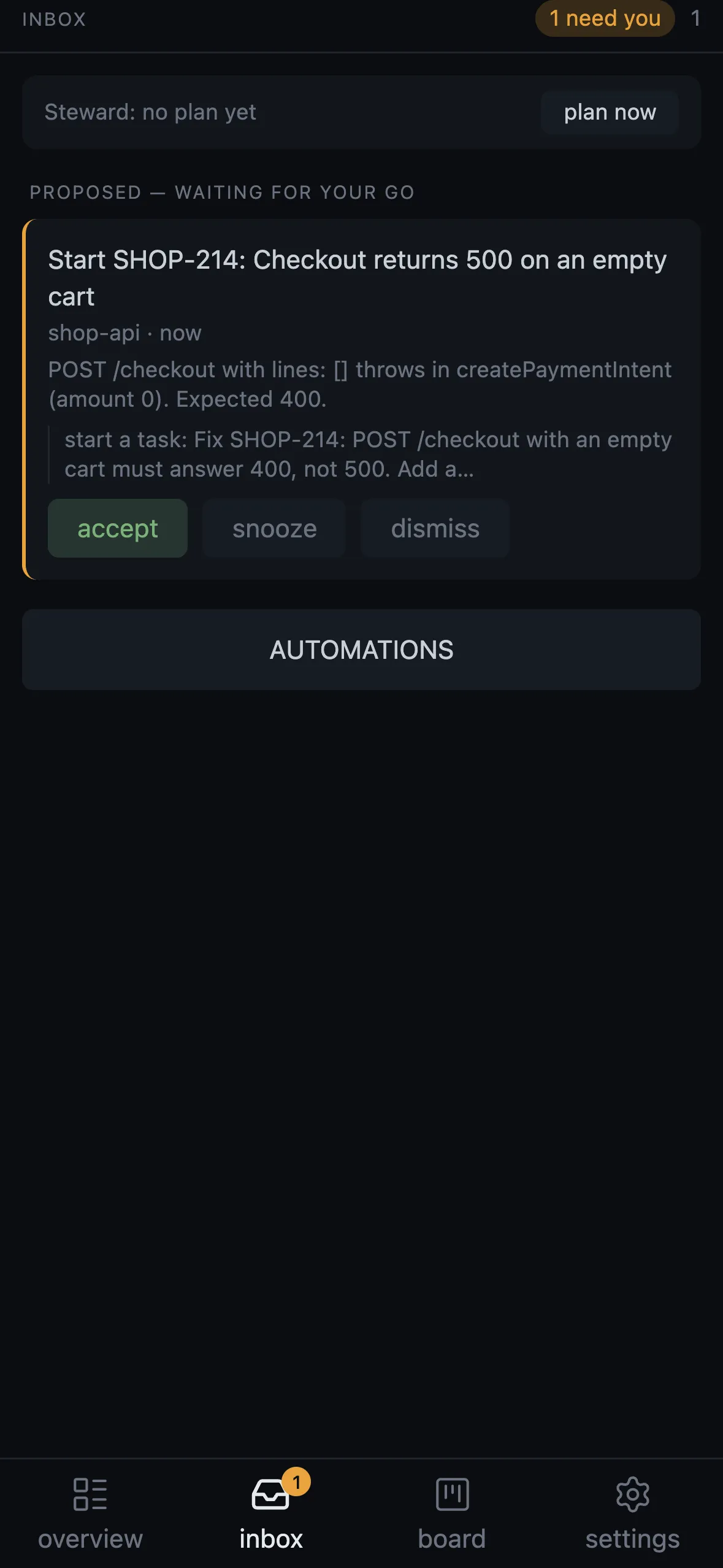
The Inbox shows what the automations left for you: accept, run anyway, snooze until the next working day or dismiss with a one-tap reason the Steward reads tomorrow. The board holds your cards; one starts a task. Every automation rule has its switch and a run-now button.
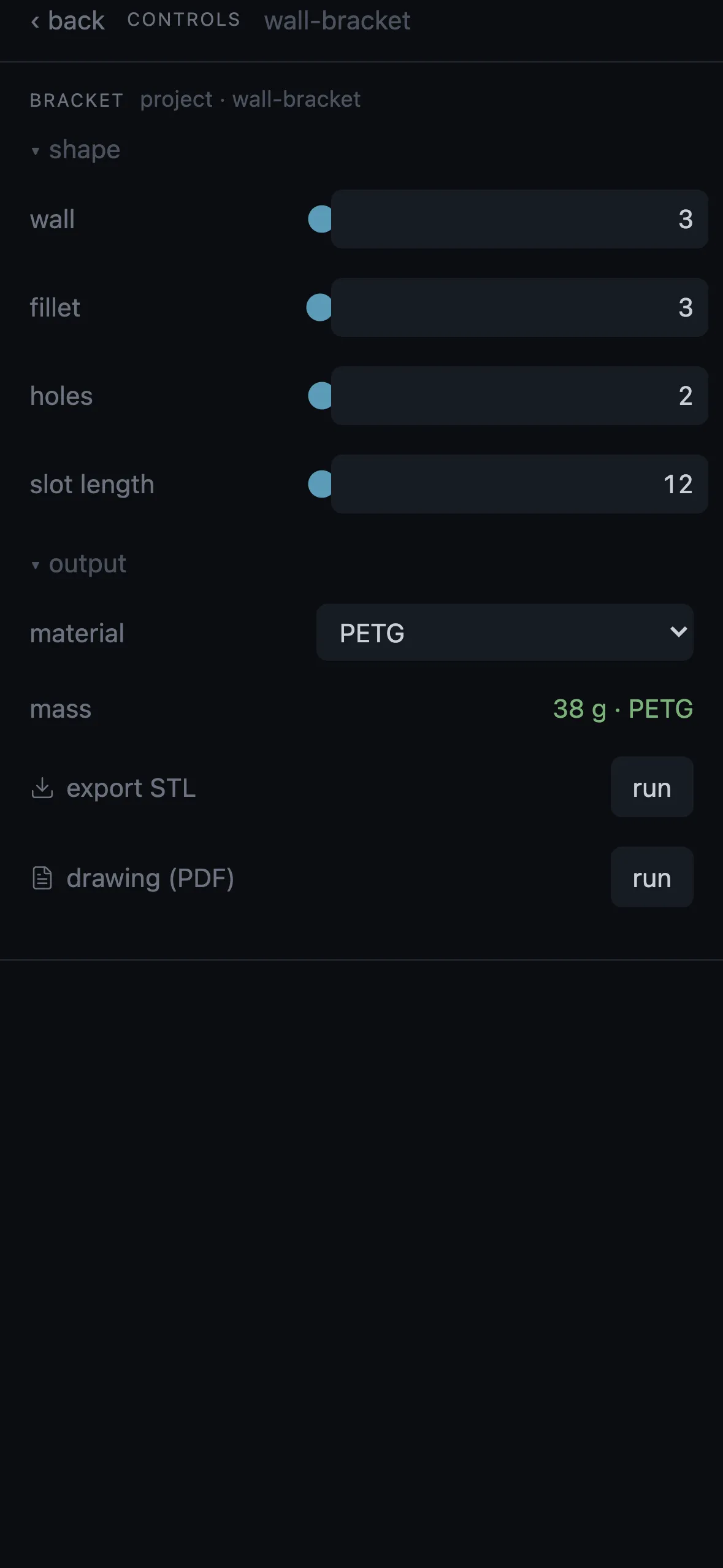
Controls are the same cockpit as the desktop panel, per project: run buttons, values, sliders; actions the phone cannot do say “Mac only”. A new task starts with an optional first instruction and an own worktree; a new project is created under the folder you set on the Mac.
Setup
On the Mac: ⚙ → Remote access → enable, with Tailscale signed in and HTTPS certificates enabled for the tailnet. Then pair the phone with a QR code or a link that is valid for ten minutes and single use; each phone gets its own token and can be revoked on its own. Install the page as an app (Add to Home Screen on iOS, the install button on Android) — push works only in the installed app. On a Linux server, robion-server pair prints the same link.
Questions
- Is there an App Store app?
- No. The phone client is a web app you install from the browser (Add to Home Screen). Push notifications work in the installed app; nothing goes through a store or a third-party service.
- Does it need Tailscale?
- Yes. The server stays on loopback and Tailscale Serve exposes it as HTTPS to your tailnet only. Nothing is reachable from the open internet.
- Can I see the whole terminal?
- The terminal tab shows the text of the screen and a key bar for dialogs; it is not a shell. Desktop panels — 3D, LOG, web preview, the editor — stay on the Mac; pictures the agent opens reach the chat.
- Does it work with the Mac lid closed?
- A sleeping Mac runs nothing. A Linux server keeps the agents running around the clock, and the phone drives it the same way.
- Which phones?
- iOS with Safari (Add to Home Screen) and Android (install button, share target). Language and theme follow the server.
In the manual
- Phone — The phone client: pairing, installing, push notifications, chat, photos, questions, permissions, new task or project, changes and merge.
- Settings — Global and per-project settings: Jira, GitLab and GitHub, servers and remote access, hooks, packs, privacy and telemetry, updates, where data lives on disk.
- Troubleshooting — Something is wrong: the symptom, what it means, what to do, where the logs are.
Try it on your own projects.
free · signed & notarized · updates itself